Can Ace run on my own ChatGPT, Claude or Grok subscription?
Yes. Table Pass ($20 a month) and Private Table ($75 a month, with unlimited Stealth) run Ace on your own Claude, ChatGPT or Grok subscription, through Ace on your computer. Your request and the context used for it then go to the provider account you connect, under that provider’s settings and policies. Hosted AI chips are bought separately if you also want Ace’s built-in AI.

Free Play: 2,000 credits, no card. Ace by Black Label.
The two plans, exactly
| Plan | Price | What it includes |
|---|---|---|
| Table Pass | $20 a month | Use your own Claude, ChatGPT or Grok subscription, through Ace on your computer |
| Private Table | $75 a month | The same, plus unlimited Stealth |
Hosted AI chips are purchased separately on both plans, and plans that use your own subscription can add credits at any time. Annual billing saves 20 percent and is paid upfront. Subscriptions renew until you cancel them, and you manage them in your account. Prices are in US dollars as listed on tryacee.com/pricing in October 2026.
What changes when your own account answers
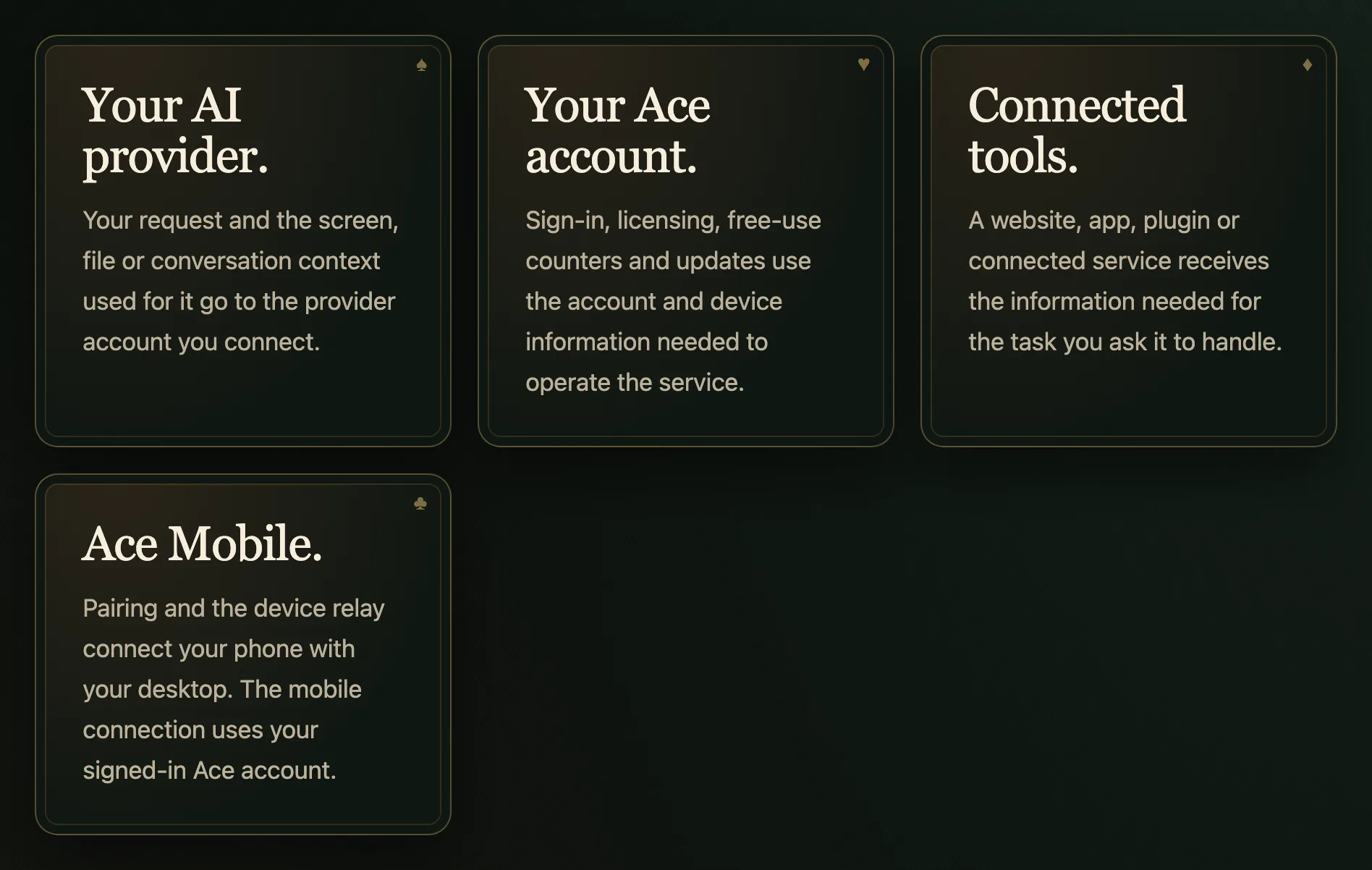
With Ace’s built-in AI, a request goes to Ace’s services and the AI provider used for that feature. With your own subscription, Ace’s data page says your request and the screen, file or conversation context used for it go to the provider account you connect, and its security page says that provider’s account and data policies apply. The privacy policy adds that a personally connected provider account can have a different processing route from Ace’s hosted AI. In short, you choose whose terms govern the answer.
Check your provider’s data settings first
Before you connect an account, open its privacy or data controls and decide:
- whether your chats may be used to train or improve the provider’s models;
- how long chats are kept, and how to delete them;
- whether there is a temporary or incognito chat mode, and what it changes.
Anthropic’s help center, for example, describes a Model Improvement setting in Claude’s privacy settings and says incognito chats are not used to improve Claude, even with Model Improvement switched on. Look up the equivalent controls for a ChatGPT or Grok account on those providers’ own help pages.
Who it suits
- You already pay for one of these subscriptions and would rather not pay for a second AI allowance.
- You prefer that provider’s account settings and terms to a hosted route.
- Your workplace has approved one AI provider and not others.
- You want one provider account to answer, whichever app you are working in on your computer.
What stays the same
- Your Ace account still handles sign-in, licensing, free-use counters and updates.
- Connected tools still receive what a task needs from them.
- Files, recordings and work results are still handled on your computer.
- The microphone, the screen, files and app control are still separate permissions you can revoke.
- Asking still needs an internet connection, because your provider’s AI is hosted too.
Setting it up
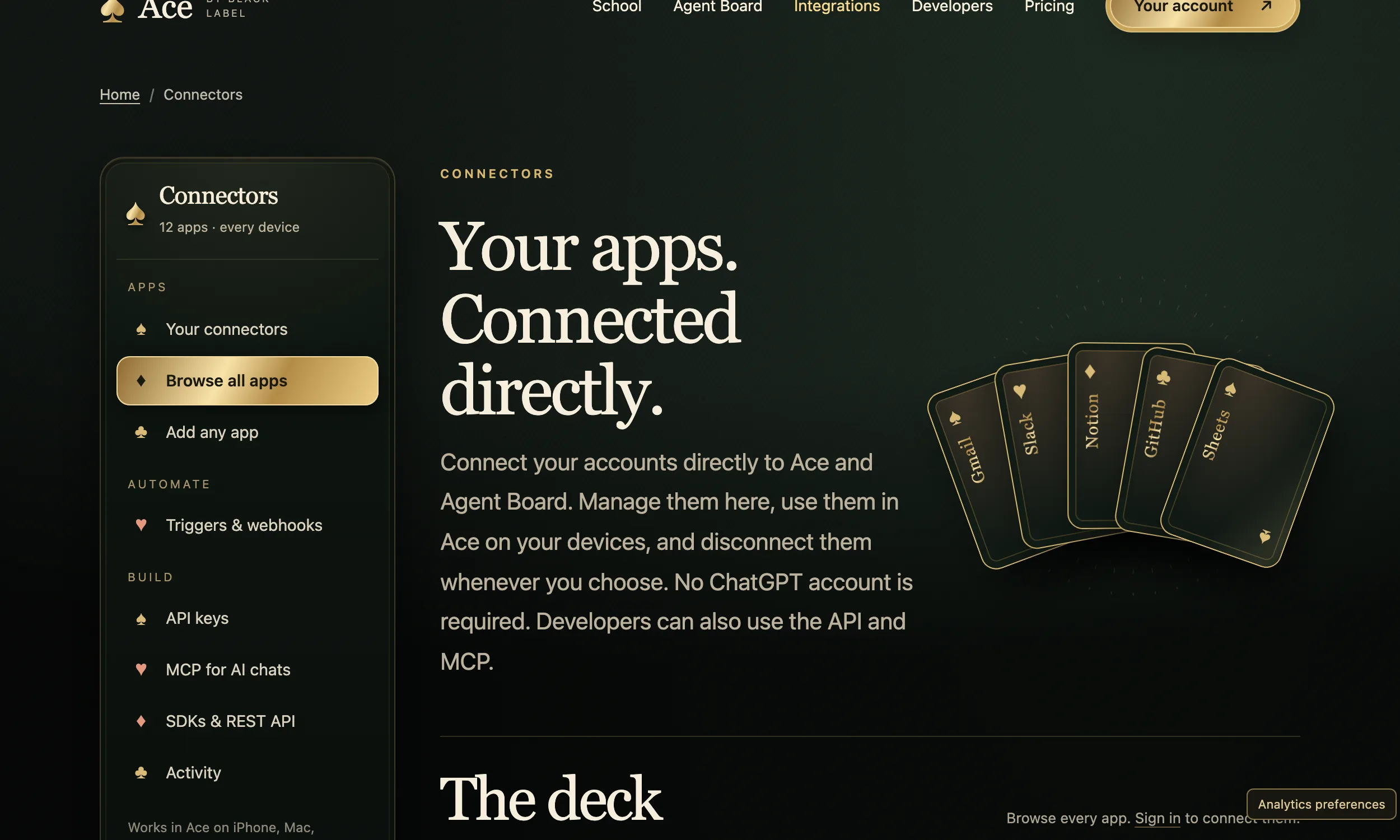
- Choose Table Pass or Private Table on the pricing page and complete checkout.
- Install Ace on your computer from your Ace account.
- In desktop Setup, approve the same Ace account, then connect your supported AI account.
Hosted AI, your own, or both
| Setup | Who answers | What you pay for |
|---|---|---|
| Free Play or a hosted plan | Ace’s hosted AI | Free credits, or a monthly allowance of hosted AI chips |
| Table Pass or Private Table | Your own ChatGPT, Claude or Grok account | The Ace plan, plus your provider subscription |
Top-ups add hosted AI chips to any plan: $10 for 5,000 or $50 for 20,000, one-time and never automatic.
To compare costs, add the Ace plan to what your provider charges for the subscription you already have, and set that against a hosted plan such as Pocket Pair at $30 a month for 10,000 hosted AI chips. The cheaper route depends on what you already pay for; the privacy difference depends on whose terms you prefer.
More from Ace
The full overview of how Ace handles privacy is on tryacee.com/private-ai.
Also asked
Do I still need credits on Table Pass?
Only if you also want Ace’s hosted AI. Hosted AI chips are purchased separately on Table Pass and Private Table, and top-ups work alongside any plan.
What is the difference between Table Pass and Private Table?
Both run Ace on your own Claude, ChatGPT or Grok subscription through Ace on your computer. Private Table costs $75 a month instead of $20 and adds unlimited Stealth.
Does my own subscription work on my phone?
The plans describe it as working through Ace on your computer. Ace Mobile on your phone runs on your Ace account and balance.
Is my data more private with my own subscription?
It is governed by your provider’s account settings and policies instead of Ace’s hosted route. Whether that is more private depends on how those settings are set.
How much does it cost to use your own AI subscription with Ace?
Table Pass is $20 a month and Private Table is $75 a month, and you keep paying your provider for the subscription you already have. Subscriptions renew until you cancel them, and you manage them in your account. Hosted AI chips are bought separately if you also want Ace’s built-in AI.
What should I check in my AI provider account before I connect it?
Open its privacy or data controls and decide three things: whether your chats may be used to train or improve the provider’s models, how long chats are kept and how to delete them, and whether there is a temporary or incognito chat mode and what it changes. Decide those before the account starts answering for you.
Where do I find the model training setting for a Claude account?
In Claude’s privacy settings. Anthropic’s help center describes a Model Improvement setting there, and says incognito chats are not used to improve Claude, even with Model Improvement switched on. For a ChatGPT or Grok account, look up the equivalent controls on those providers’ own help pages before you connect it.
When does it make sense to use your own AI subscription?
When you already pay for one of these subscriptions and would rather not pay for a second AI allowance, or prefer that provider’s account settings and terms to a hosted route. It also fits when your workplace has approved one AI provider and not others, or when you want one provider account to answer whichever app you are working in.
How do I connect my ChatGPT, Claude or Grok account to Ace?
Choose Table Pass or Private Table on the pricing page and complete checkout. Then install Ace on your computer from your Ace account. In desktop Setup, approve the same Ace account, then connect your supported AI account. From then on, your request and the context used for it go to the provider account you connect.
What stays the same in Ace when my own provider answers?
Your Ace account still handles sign-in, licensing, free-use counters and updates, and connected tools still receive what a task needs from them. Files, recordings and work results are still handled on your computer, and the microphone, the screen, files and app control are still separate permissions you can revoke.
Is it cheaper to bring my own subscription or buy a hosted Ace plan?
It depends on what you already pay for. Add the Ace plan to what your provider charges for the subscription you already have, and set that against a hosted plan such as Pocket Pair at $30 a month for 10,000 hosted AI chips. Top-ups add chips to any plan: $10 for 5,000 or $50 for 20,000, one-time.
Where does my request go when my own account answers?
To the provider account you connect. Ace’s data page says your request and the screen, file or conversation context used for it go there, and its security page says that provider’s account and data policies apply. The privacy policy adds that a personally connected provider account can have a different processing route from Ace’s hosted AI.
More questions
Deal yourself in.
More about Ace
Sources
- Is my data used for model training? | Anthropic Privacy Center, Anthropic. Checked November 14, 2026.