
Skip to content
Private AI Ace
YOUR CONTEXT. YOUR CALL. above a black marble and brass art-deco doorway

The private charter · Est. for your computer

A private AI assistant, under your own charter.

Ace is a private AI assistant for your own computer. Files, recordings and notes are handled there; only your request and the context you choose for it go to the AI that answers.

For Windows, Mac and Linux.

Preamble

Your computer keeps what is yours. When you ask Ace something, the request you make and the context you choose for it go to the AI that answers. Nothing else is part of the bargain: the file stays, the recording stays, the notes stay. The Articles below set down, plainly, what goes with a request and how each door is closed.

Articles I–VI

The Articles of the charter

  1. Article I

    Your screen

    Ace looks at your screen only when you ask, after you allow screen access. It does not watch the screen all the time, and you can switch screen access off at any time.

  2. Article II

    Your microphone

    You talk to Ace by holding Ctrl + Shift on Windows or Command + Shift on a Mac. The microphone goes through your operating system’s own permission prompt and can be turned off; you can always type instead.

  3. Article III

    Your account

    One account and one balance for your computer, your phone and the web. Sign in with Google or your email, through a secure link with no password.

  4. Article IV

    Your files

    Files, recordings and work results are handled on your computer. When you ask, only your request and the context you choose for it, such as selected text or a screen, go to the AI that answers. The file itself stays.

  5. Article V

    Your AI

    On Table Pass ($20 a month) or Private Table ($75 a month), the AI that answers is your own Claude, ChatGPT or Grok subscription, in the provider account you already control.

  6. Article VI

    Your switches

    Microphone, screen, files and app control each go through your operating system’s own permission prompt, and each can be turned off. On Windows, app control is off until you turn it on.

Proviso Private does not mean offline. Ace’s AI is hosted, so asking needs an internet connection, and the request and its context go to the AI that answers, under that provider’s terms.

Brass doors opening onto a lit marble corridor: Choose what comes through.

Schedule A

The permissions ledger

What goes with a request, when, and how to switch it off
PermissionWhat goes with a requestWhenHow to switch it off
ScreenThe screen you choose to show, as context for that requestOnly when you ask, after you allow screen accessYour operating system’s screen permission, at any time
MicrophoneYour spoken requestWhile you talk to Ace (hold Ctrl + Shift, or Command + Shift on a Mac)Your operating system’s microphone permission; type instead
FilesNot the file itself: only your request and the context you choose, such as selected textWhen you askYour operating system’s file permission
App controlNot used until you turn it onOff on Windows until you turn it onIts operating system permission
The AI that answersYour request and the context you chose: to Ace’s hosted AI, or to your own subscriptionEach time you ask (an internet connection is needed)Pick the AI that answers: built in, or your own on Table Pass or Private Table

The live web platform

The workspace, and what leaves it

Your library, the public workspace (only what people chose to publish), Ask Ace and the data page, as published on tryacee.com.

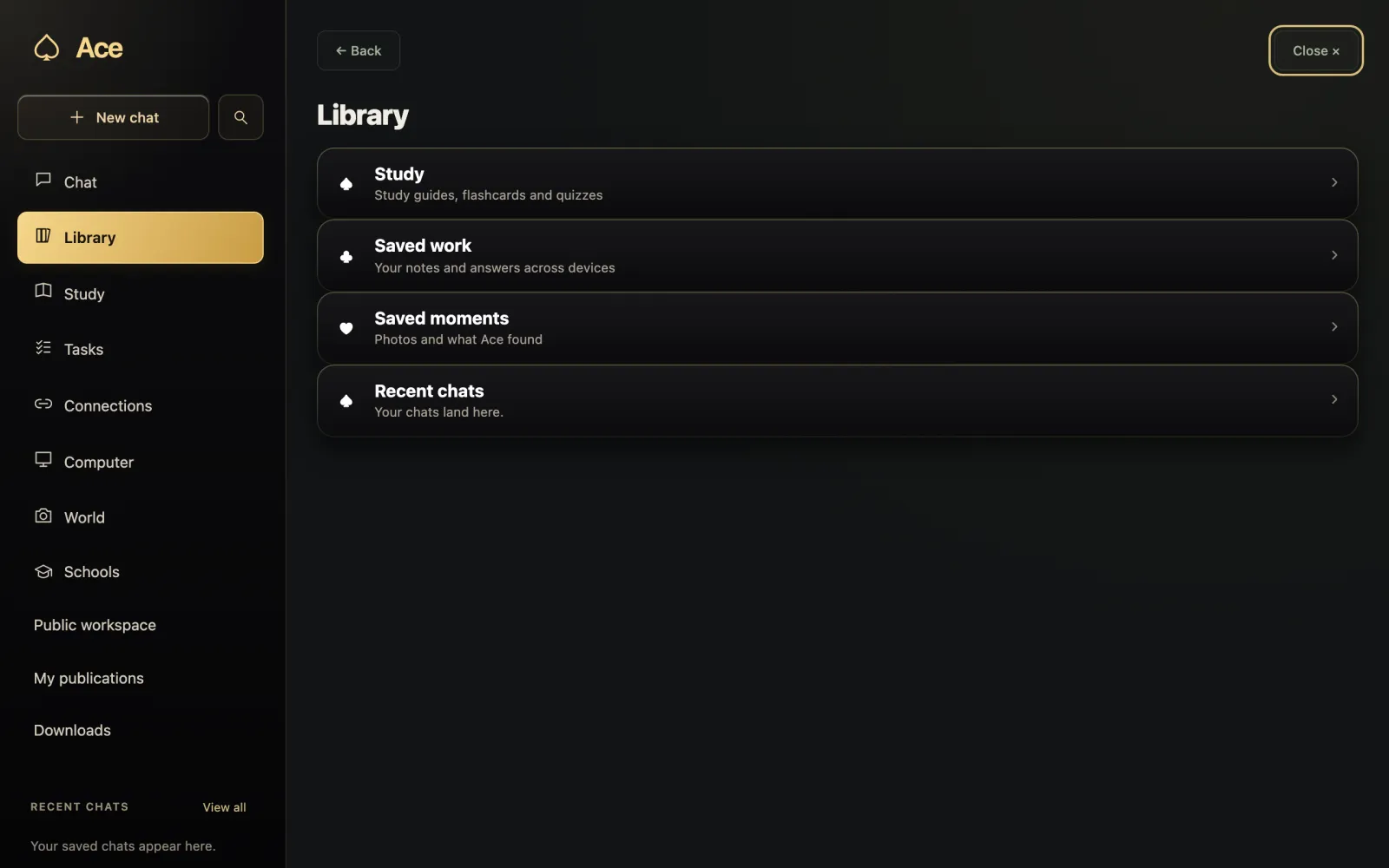
Library in the Ace workspace: study guides, saved work, saved moments and recent chats.
Library in the Ace workspace: study guides, saved work, saved moments and recent chats. Live at tryacee.com/account?space=library
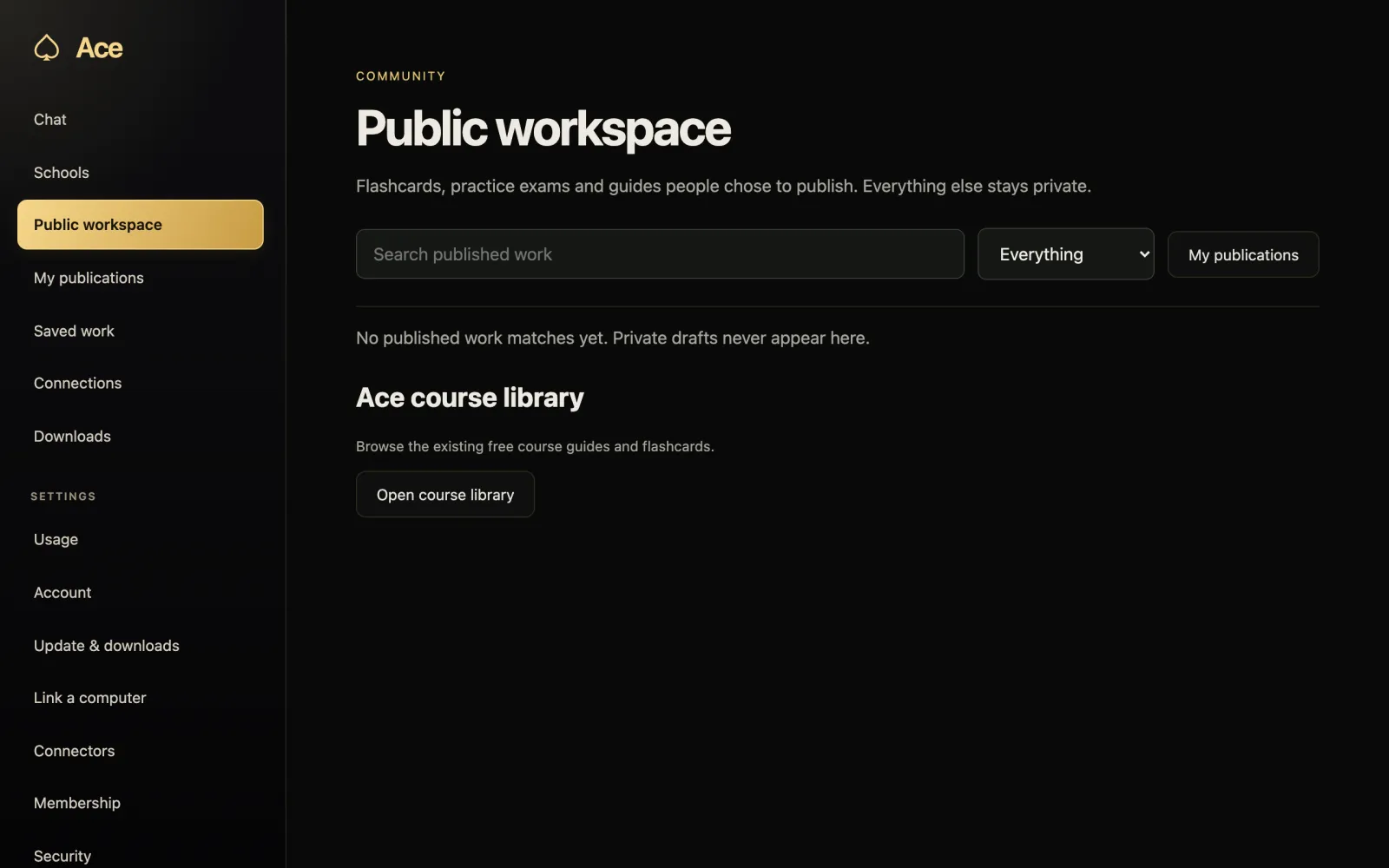
Public workspace: flashcards, practice exams and guides people chose to publish.
Public workspace: flashcards, practice exams and guides people chose to publish. Live at tryacee.com/account?space=community
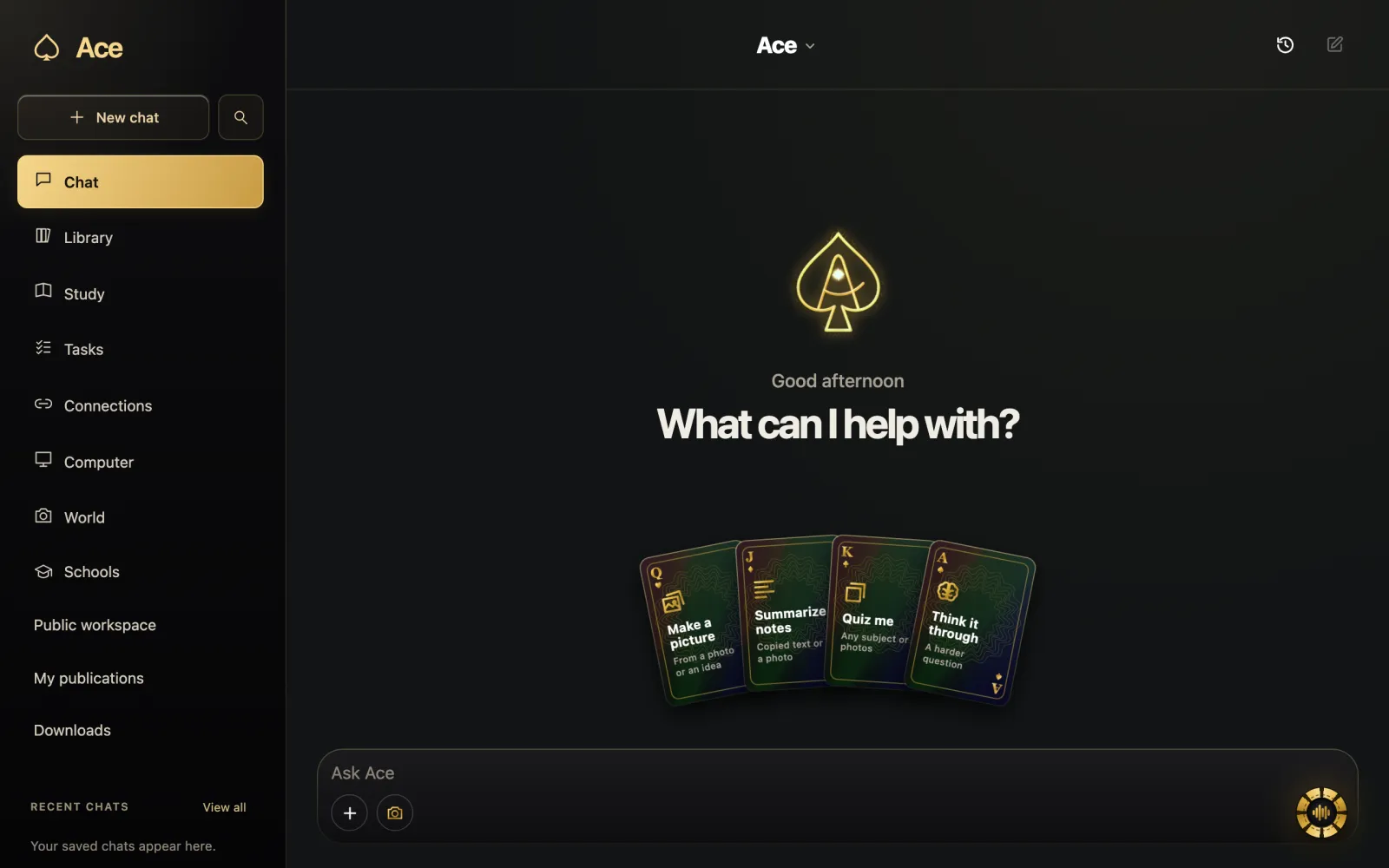
Ask Ace in the Ace web workspace: chat, library, study, tasks, computer and schools in one sidebar.
Ask Ace in the Ace web workspace: chat, library, study, tasks, computer and schools in one sidebar. Live at tryacee.com/account?space=chat
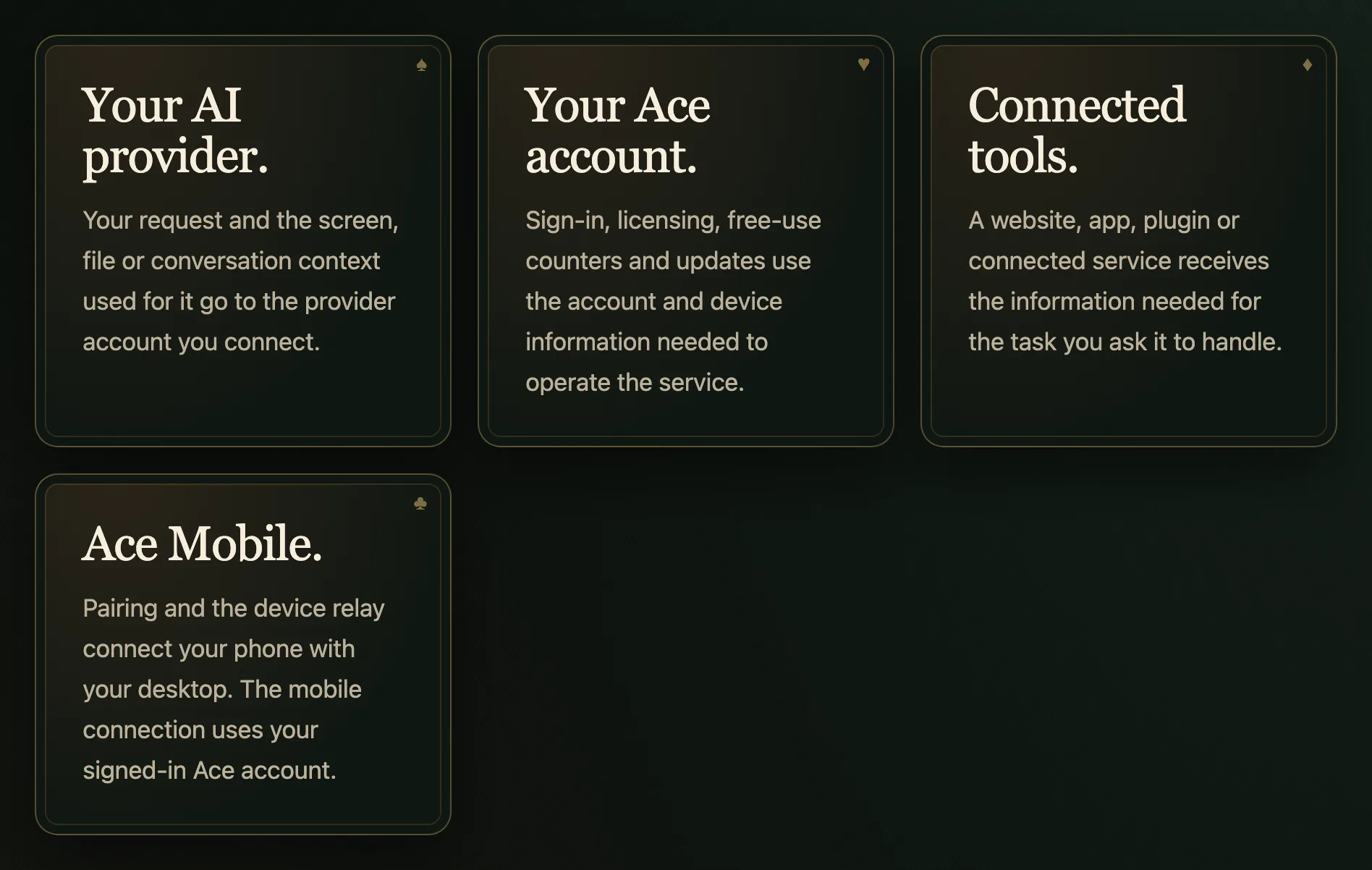
What leaves your computer: your AI provider, your Ace account, connected tools, Ace Mobile.
What leaves your computer: your AI provider, your Ace account, connected tools, Ace Mobile. Live at tryacee.com/wire

Try Ace free

Schedule B

Three steps to take up the charter

  1. Create your free account

    Sign up with Google or your email. Free Play: 2,000 credits, no card.

  2. Install Ace on your computer

    The desktop app is where your files and permissions live: Windows, Mac or Linux.

  3. Pick the AI that answers

    Ace’s built-in AI, or your own Claude, ChatGPT or Grok subscription on Table Pass or Private Table.

Brass doors opening onto a lit marble corridor: Choose what comes through.

Article of practice

Choose what context to share with AI

A desktop app and an offline model are different things. Ace uses hosted AI; the request and the context used to answer it go to the responding provider.

  1. Reduce the input

    Use the paragraph or small example you need help with. Replace names, account numbers and other unnecessary details before asking.

  2. Choose the answering provider

    Review which provider will receive the request and its privacy terms. Using your own subscription changes the account used; it does not make hosted processing offline.

  3. Review permissions and output

    Check the access you enabled, then check the answer before saving or sharing it. Turn off screen or microphone access when you no longer want to use it.

Do not assume “private AI” means no data leaves your device. Read Ace’s privacy and security pages and the responding provider’s terms for the workflow you intend to use.
Schedule C

Price

Free Play$0

2,000 free credits. No card required. One balance for your computer, phone and the web.

Try Ace free
Paid plans and top-ups (8)
PlanPer monthWhat it includes
Table Pass$20Connect your own supported AI subscription.
Pocket Pair$3010,000 hosted AI chips per month.
Full House$5030,000 hosted AI chips per month.
Private Table$75Connect your own supported AI subscription.
High Roller$10060,000 hosted AI chips per month.
The House$200100,000 hosted AI chips per month.
Starter top-up$105,000 chips, one time
Reload top-up$5020,000 chips, one time

Prices in USD, from tryacee.com/pricing. Subscriptions renew until canceled. Compare every plan

Guides on this site

Featured guides & AI tools

Questions to the charter

Private AI, answered

What leaves my computer when I ask?

Only the request you make and the context you choose for it, such as selected text or a screen, go to the AI that answers. The file itself stays on your computer.

Are my files uploaded?

The file itself is not. Files, recordings and work results are handled on your computer. When you ask, only your request and the context you choose for it go to the AI that answers.

Can I use my own AI provider account?

Yes. On Table Pass ($20/month) or Private Table ($75/month, plus Unlimited Stealth) the AI that answers is your own Claude, ChatGPT or Grok subscription. It runs in the provider account you already control.

Can I switch off the microphone or screen?

Yes. Microphone, screen, files and app control each go through your operating system’s own permission prompt, and each can be turned off. On Windows, app control is off until you turn it on. Ace does not watch the screen all the time; it looks when you ask.

Does private mean offline?

No. Ace’s AI is hosted, so asking needs an internet connection. The request and the context used to answer it go to the AI that answers; your files, recordings and notes stay on your computer.

Does Ace watch my screen all the time?

No. Ace looks at your screen only when you ask, after you allow screen access, and you can switch it off at any time.

Is the private AI assistant free?

Yes, to start. Free Play gives you 2,000 credits with no card. Paid plans start at $20 a month, and one-time top-ups start at $10.

How do I sign in?

With Google or your email: a secure link, no password. One account and one balance cover your computer, your phone and the web.

Can I use my own Claude, ChatGPT or Grok subscription inside a private desktop AI?

Yes. Ace keeps your files and recordings on your Mac, Windows or Linux computer, gates microphone and single-frame screen access behind OS permissions, and lets Table Pass and Private Table seats route requests directly through your own connected ChatGPT, Claude or Grok subscription.

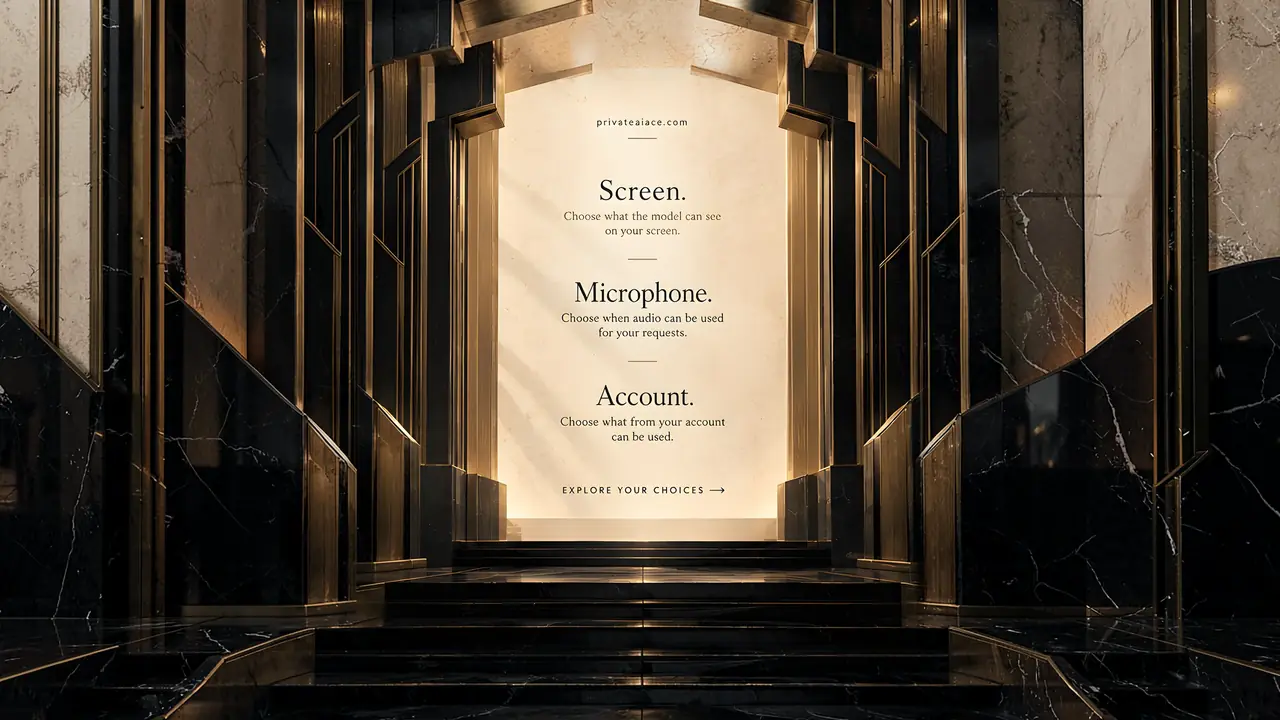
A lit panel in a brass doorway: Screen, Microphone, Account, each yours to choose

Your context. Your call.

Free Play: 2,000 free credits, no card. Sealed for your computer.

Try Ace freeDownload on the App Store

Sealed November 16, 2026Private AI Ace

Private AI · 2,000 free credits · no cardTry Ace free